
Matrix Waterfall CLI App
Built in Rust, of course. Part 1 of 2

This essay's purpose is simple: recreating the effect of the "Matrix" in a Rust-powered CLI application. Something close to what you see below (which we’ll improve over time).
Here's a link to the repo, where improvements and changes from contributors are welcome.
Considerations in the design phase will include the terminal's raw mode handling and the threading model best suited for our parallelized character streams. The nitty-gritty of the design will see us talking about efficient screen buffering and minimal I/O-blocking to maintain the fluidity of the scrolling text.
Designing the CLI Application
Before writing a single line of code, let's visualize this effect. Envision the terminal as a grid. Each column in this grid represents a possible path for text to travel down. Random characters need to be generated and displayed in each column at varying intervals – sometimes new characters appear instantly; other times, there's a delay. They need to move down the grid until they fall off the screen. And, as they do, the characters gradually fade from bright white to the signature green, eventually fading to black.
Now, how does one turn this visualization into a programmable CLI application in Rust?
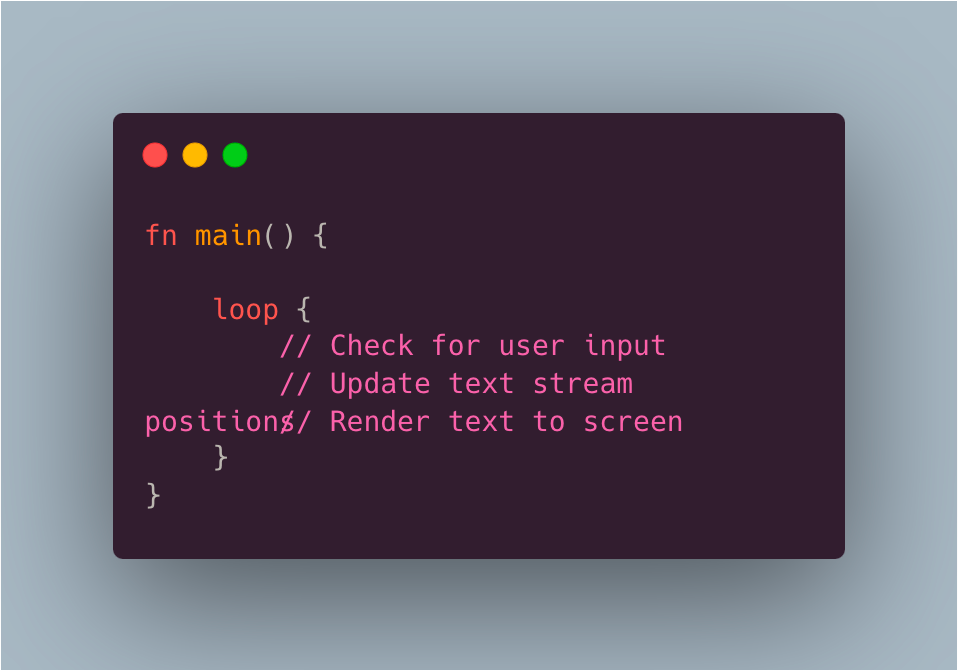
We start with the application architecture. The core of our program is the main loop. This loop checks for user input (to quit or adjust the speed of the text, for example), updates the positions of our text streams, and renders the output to the screen. We'll use Rust's standard library to handle user input and manage the screen display.
For the rendering, we'll likely rely on a crate like `crossterm` or `termion`, which provide the tools to control terminal output. These crates help us hide the cursor, paint characters in certain colors, and position text exactly where we want it to appear on the screen.
Here's a rundown of the components we'll assemble:
1. Main Loop: The heart of our application, continually cycling through input, update, and render phases.
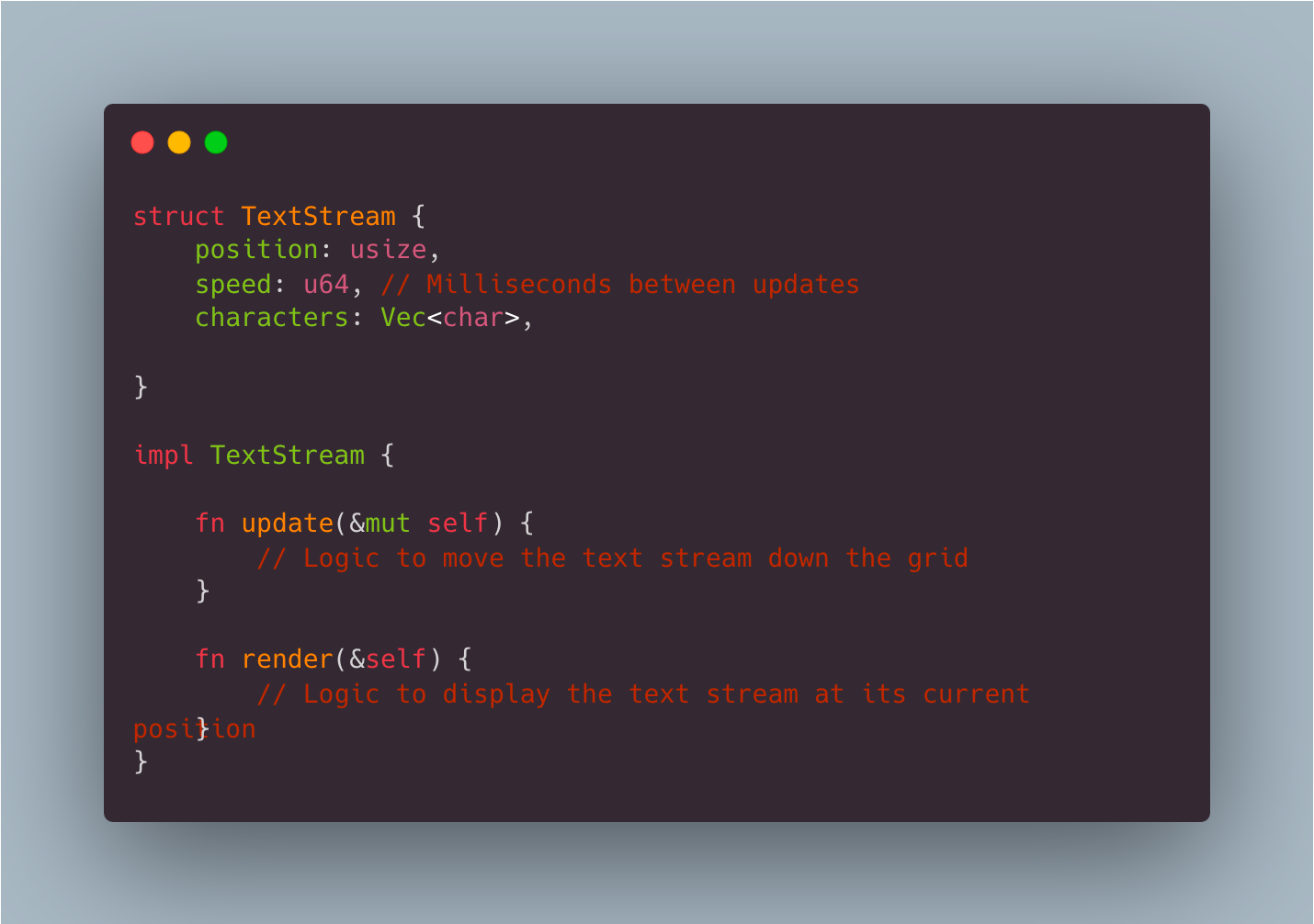
2. Text Stream Handling: Each text stream (column) will be an object we create, with properties for its current position, speed, and the characters it contains. Since the effect benefits from parallelism, we might use Rust's `thread::spawn` to manage multiple streams simultaneously.
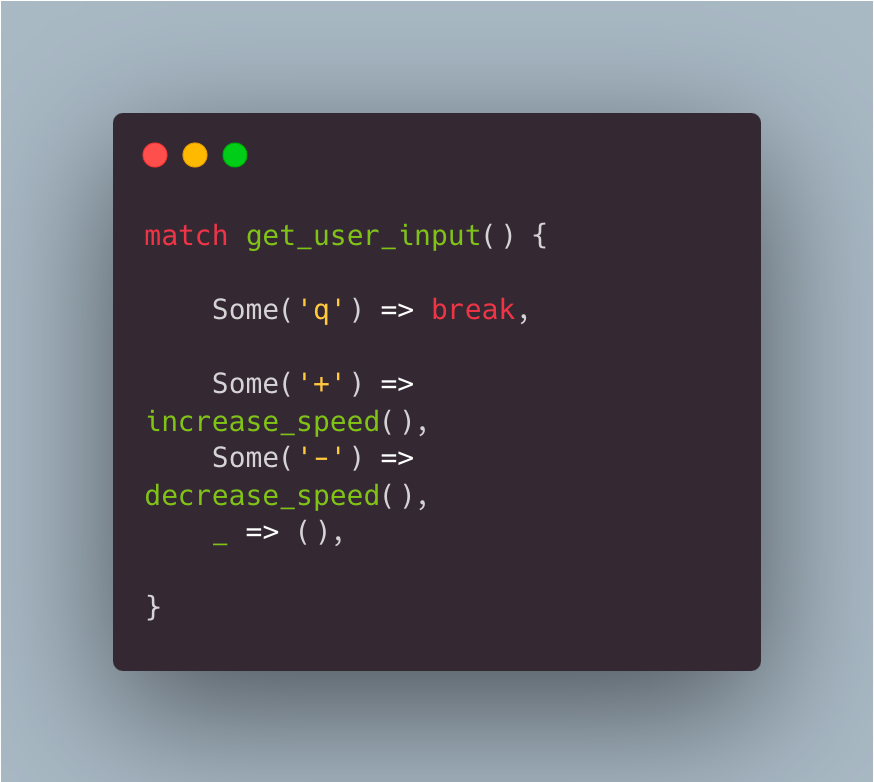
3. User Input Handling: We'll use non-blocking input to allow the user to affect the program without pausing the main loop. Rust's pattern matching can be utilized to make this control both elegant and robust.
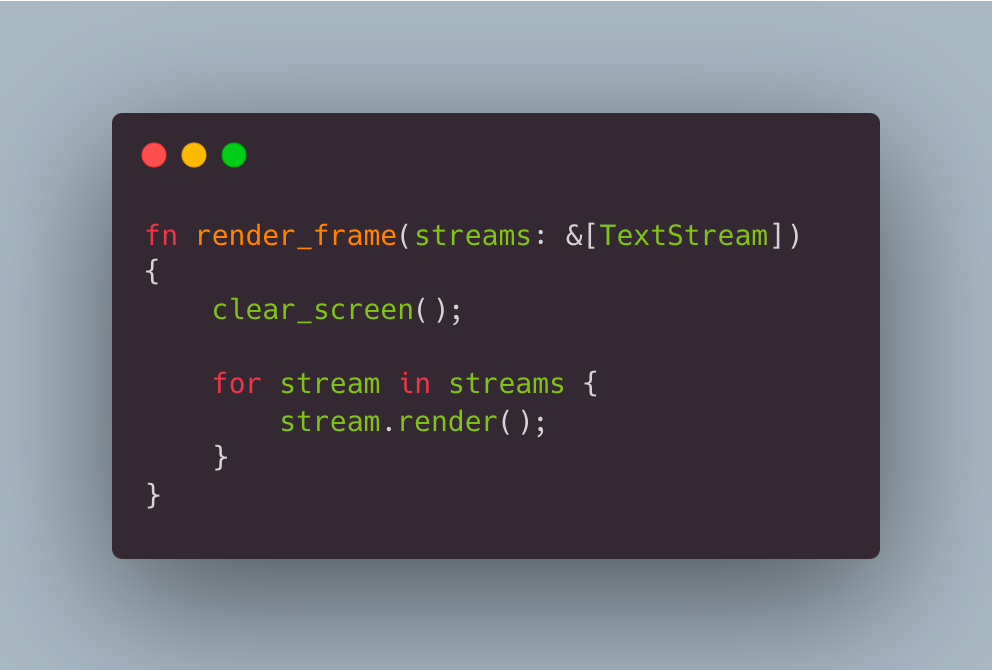
4. Rendering Engine: The job of rendering involves painting each character in its correct position with its determined color. We'll also need to clear the terminal between renders to give the illusion of motion.
5. Terminal Control: We must ensure that the terminal is in the right state for our effect, with proper character spacing, no displayable cursor, and suitable color settings.
Throughout this process, keeping implementation simple is important. We want our application to be direct, avoiding any unnecessary complexity.
Rendering the Matrix Scrolling Text Effect
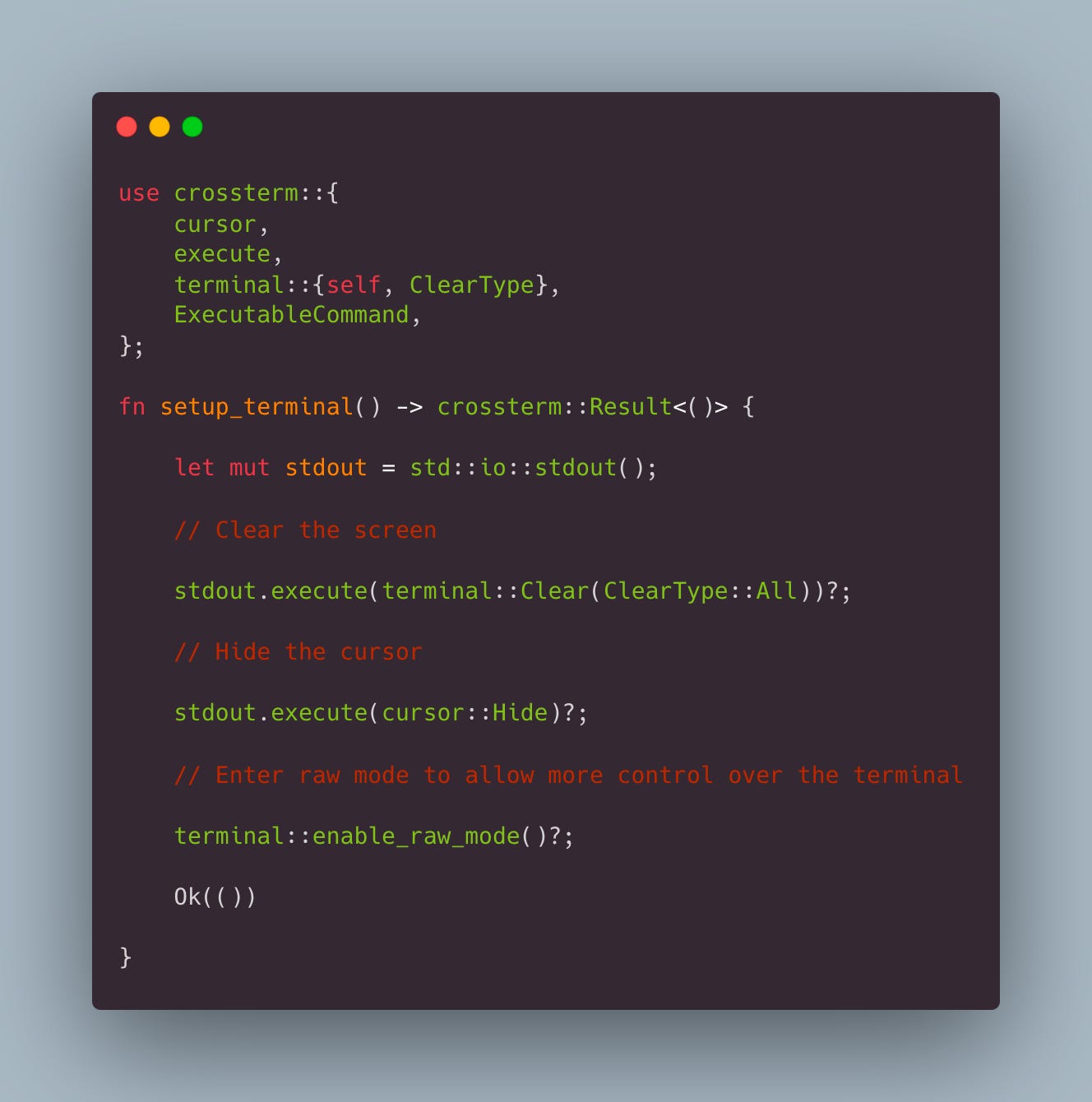
With Rust’s rich ecosystem, we can take advantage of libraries like `termion` or `crossterm` which handle complex terminal interactions with ease. Both libraries are adept at manipulating terminal output but let's use `crossterm` for our example, given its cross-platform capabilities and ease of use.
Here's a simple use case with `crossterm`:
To create the effect of the Matrix, the algorithm will need to manage a few critical aspects:
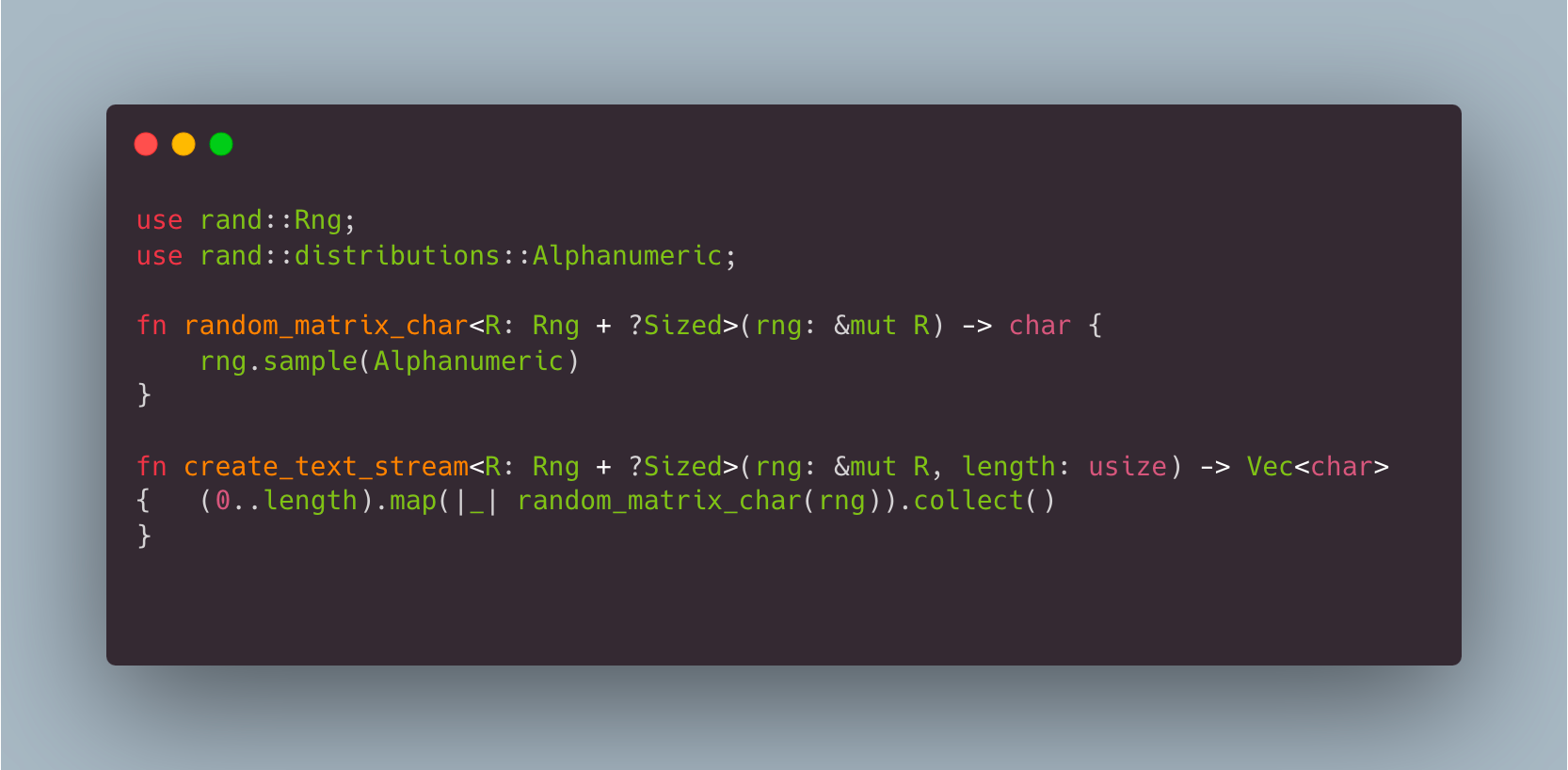
1. Random Character Generation: Generate a random set of characters which mimic the Matrix's text.
2. Vertical Text Cascades: Simulate columns of text flowing down the screen. Each column would be an independent entity, with a different speed and lifecycle.
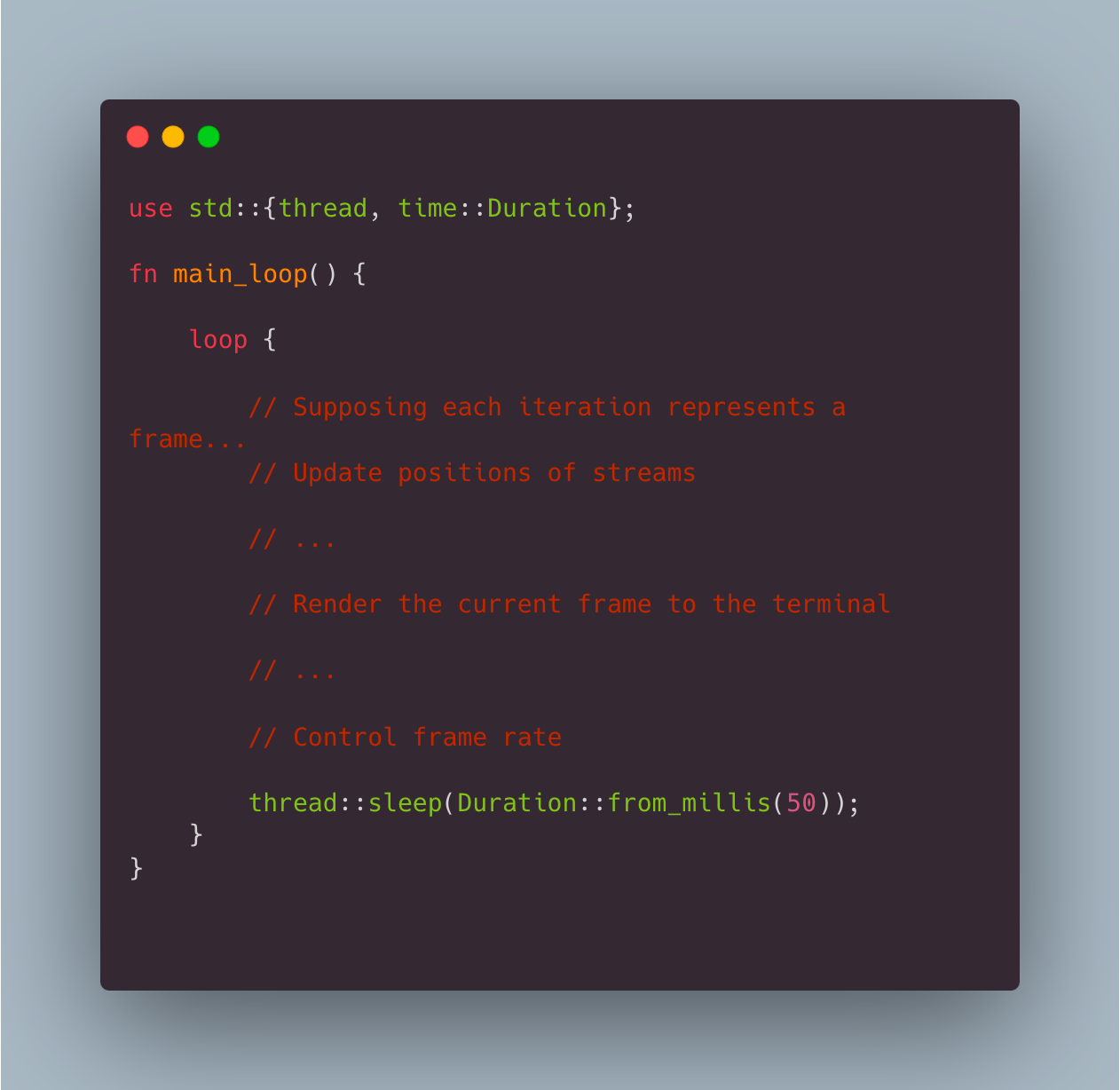
3. Timing: In the main loop, introduce timing controls to pace each column’s speed and handle the refresh rate of the screen.
Here’s how we might initialize a text stream:
To consider the timing for each column, we could employ a simple sleep:
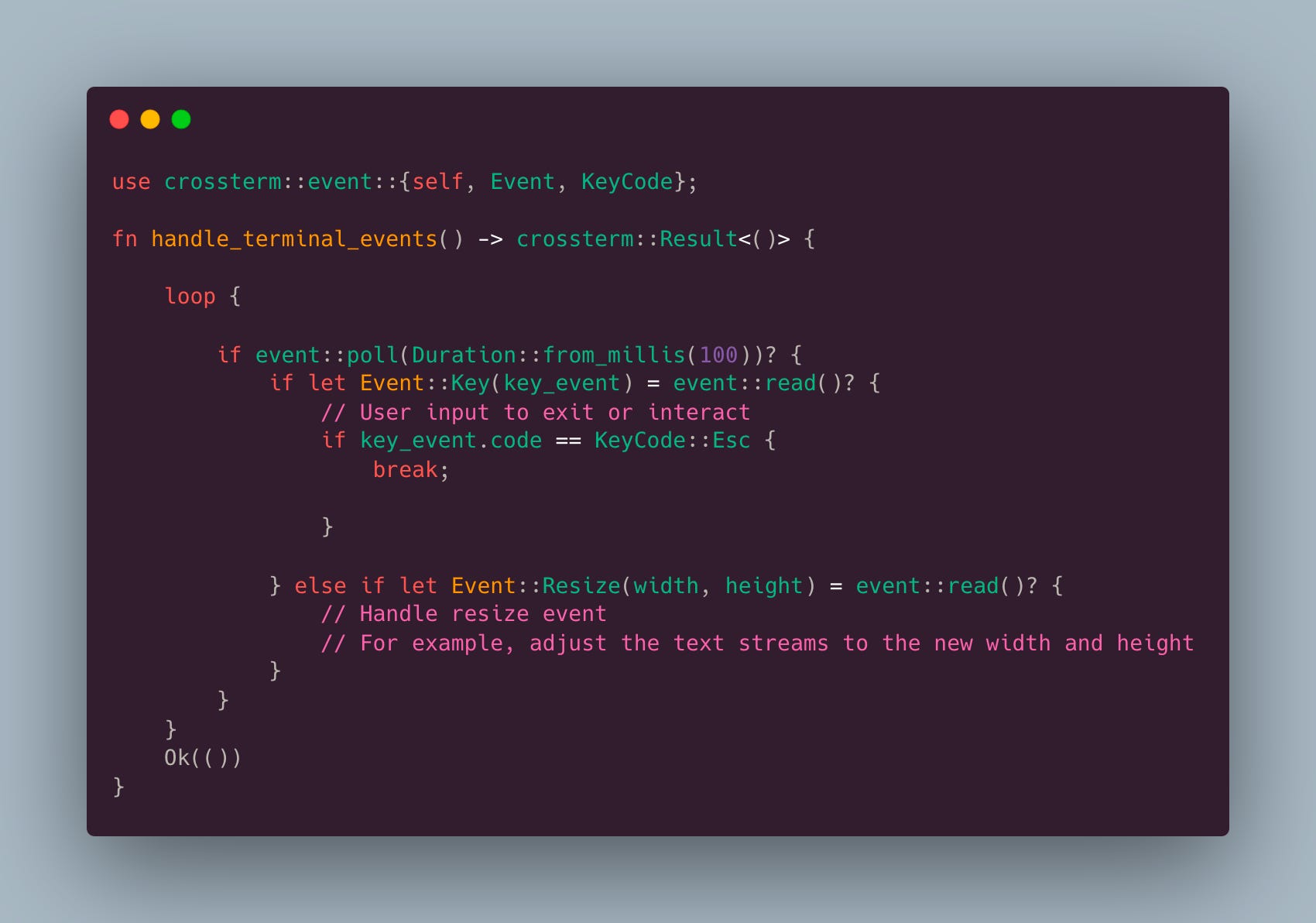
One nuance of terminal applications is dealing with window resizing. For the Matrix effect, we must constantly be aware of the terminal’s size. With `crossterm`, we can manage resize events efficiently:
OK that’s enough for this first pass at the application. We’ll be back in the next edition to round this out.